I’ve spent a lot of time this last week staring at decompiled Dalvik assembly. In the process, I created a couple of useful tools that I figure are worth sharing.
I’ve been using dedexer instead of baksmali, honestly mainly because the former’s output has fewer blank lines and so is more readable on my netbook’s screen. Thus, these tools are designed to work with the output of dedexer, but the formats are simple enough that they should be easily portable to smali, if that’s your tool of choice (And it does look like a better tool overall, from what I can see).
ddx.el 🔗︎
I’m an emacs junkie, and I can’t stand it when I have to work with a
file that doesn’t have an emacs mode. So, a day into staring at
un-highlighted .ddx files in fundamental-mode, I broke down and
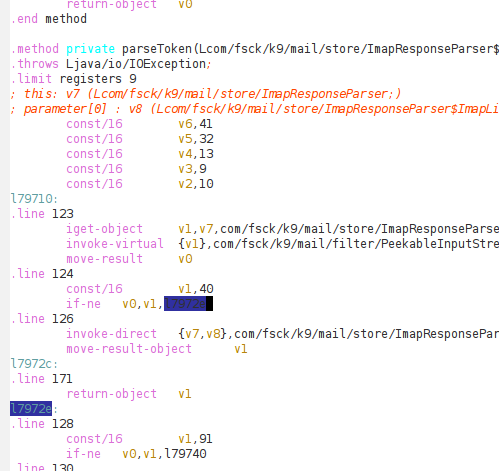
threw together ddx-mode. It’s fairly minimal, but it
provides functional syntax highlighting, and a little support for
navigating between labels. One cute feature I threw in is that, if you
move the point over a label, any other instances of that label get
highlighted, which I found useful in keeping track of all the “lXXXXX”
labels dedexer generates.
ddx2dot 🔗︎
Dalvik assembly is, on the whole pretty easy to read, but occasionally you stumble on huge methods that clearly originated from multiple nested loops and some horrible chained if statements. And what you’d really like is to be able to see the structure of the code, as much as the details of the instructions.
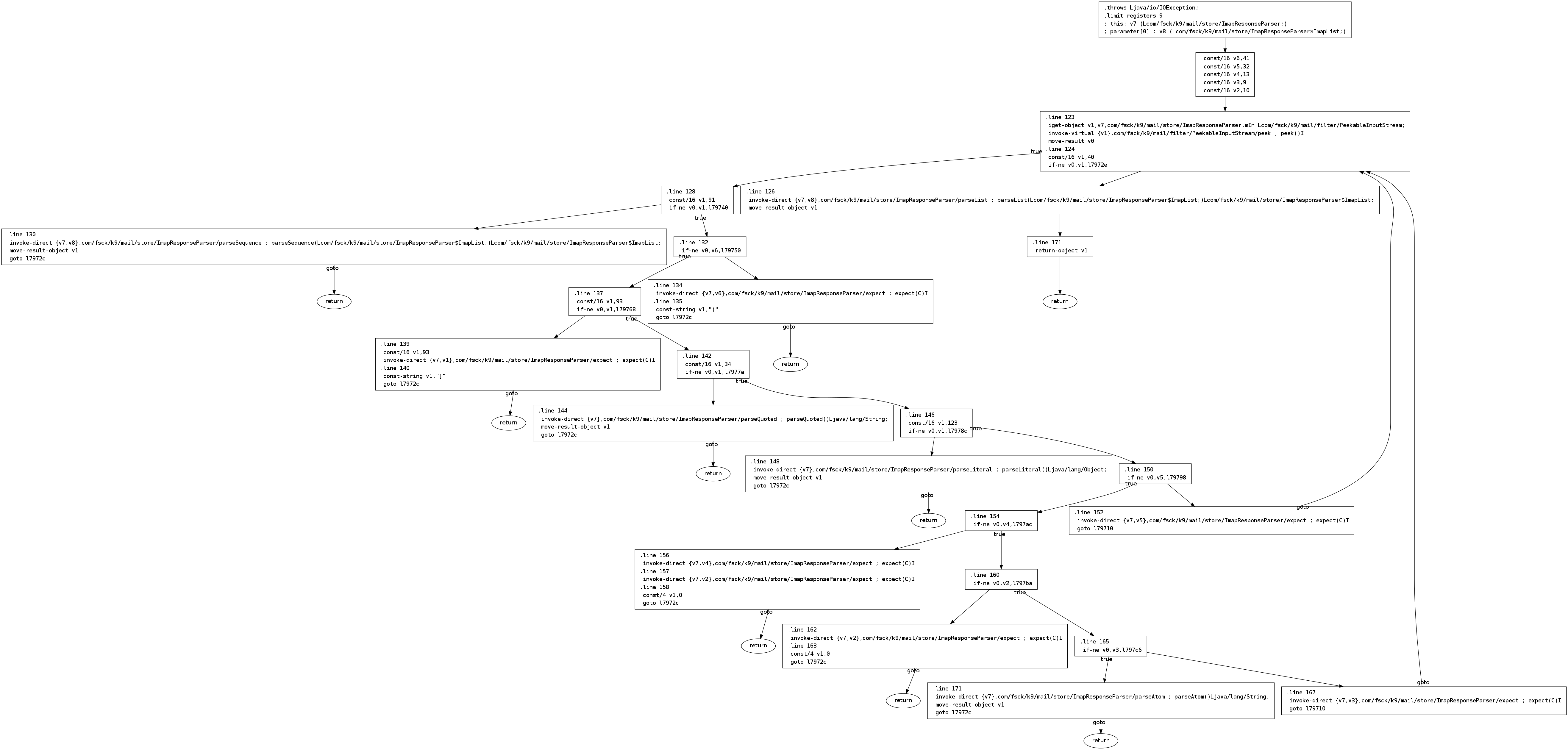
To that end, I threw together a Python script that “parses” .ddx
files, and renders them to a control-flow graph using dot. As
an example, the parseToken method from the IMAP parser
in the k9mail application for Android looks like the following,
when disassembled and rendered to a CFG:
I use the term “parses” because it’s really just a pile of regexes, line.split() and line.startswith("..."), but it gets the job done, so I hope it might be of use to someone else. The biggest missing feature is that it doesn’t parse catch directives, so those just end up floating out to the side as unattached blocks.
You’ll also notice the rounded “return” blocks – either javac or dx merges all exits from a function to go through the same return block, but I found that preserving that feature in the CFG produces a lot of clutter and makes it hard to read, so I lift every edge that would go to that common block to go to a separate block.
Github 🔗︎
Both tools live in my “reverse-android” repository on github, and are released under the MIT license. Please feel free to do whatever you want with them, although I’d appreciate it if you let me know if you make any improvements or find them useful.
